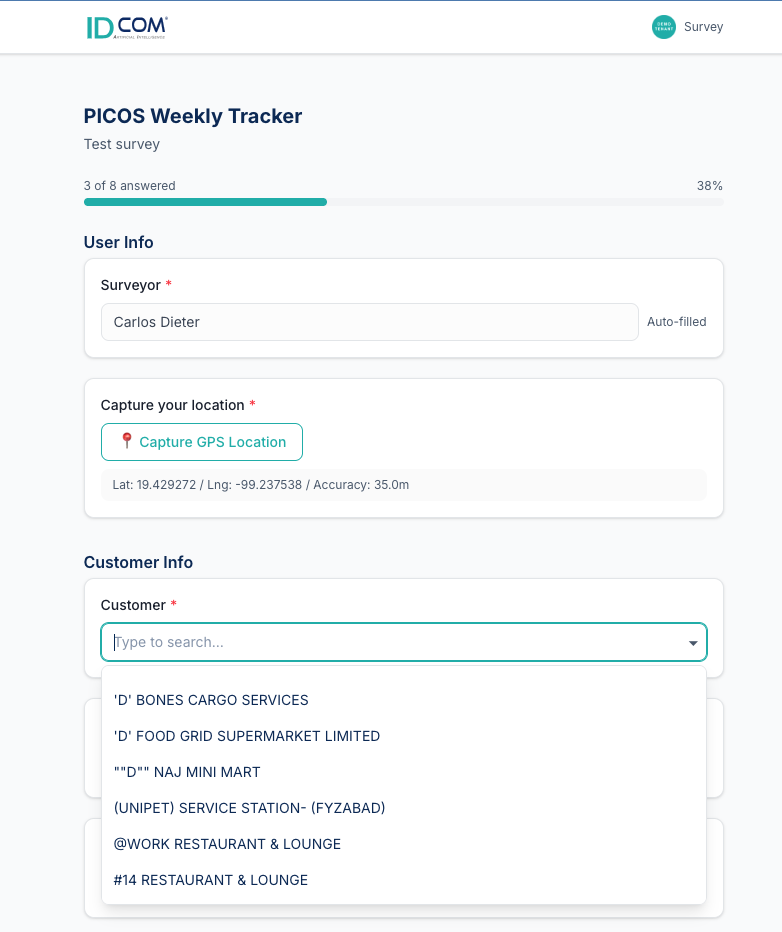
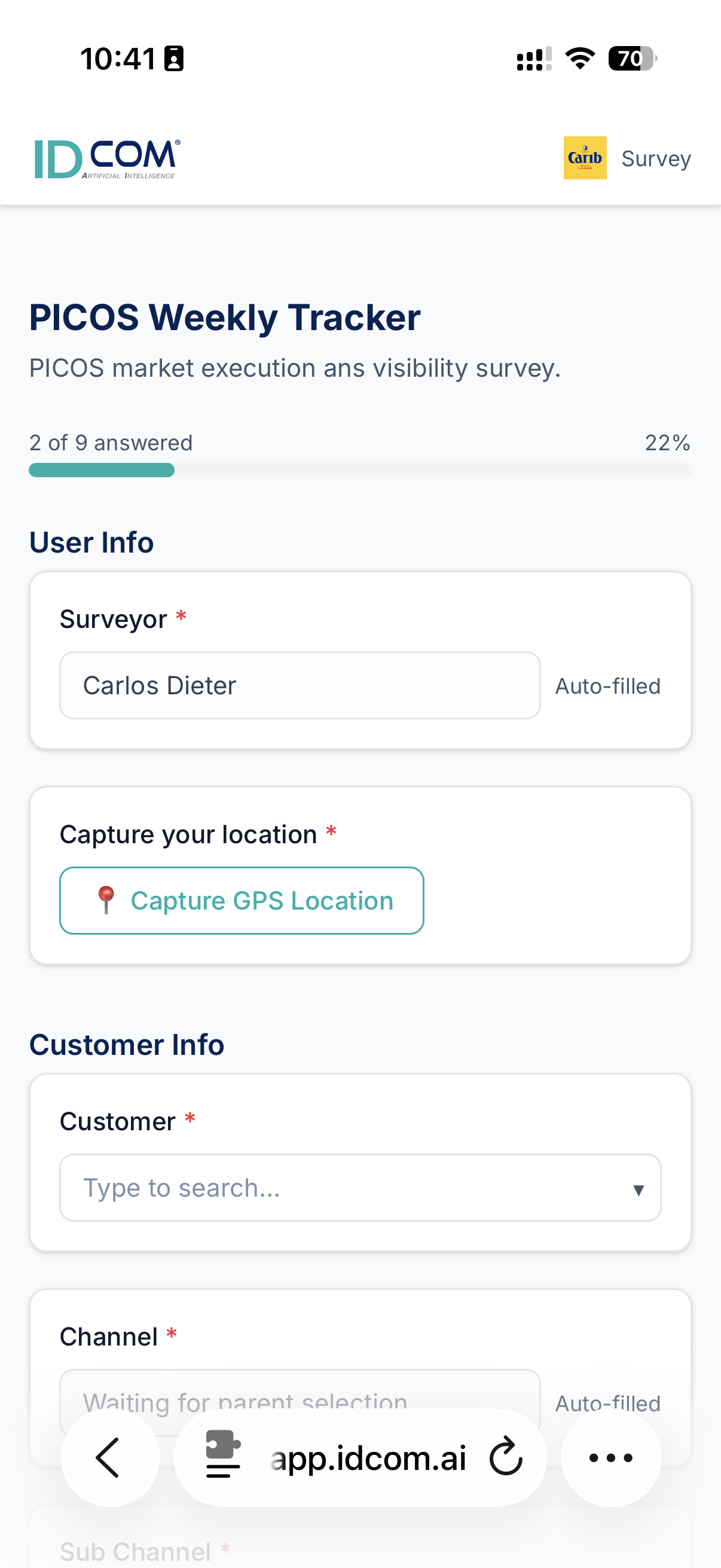
What's actually happening on the shelf — without waiting for a phone call.
Field intelligence captured by reps, geo-tagged and photo-backed, on the sales team's call list within minutes.
Pricing audits, planogram compliance, competitor scans, OOS checks. Build a survey in the AI builder, deploy it to a route, and watch results stream in with location proof and photos attached. Risk-scored automatically — the urgent stuff floats up.
Six things every field-sales team says — and how we fix each one.
We built this module by riding with reps. Each pain below maps to a specific page in the dashboard — no theoretical features, no roadmap dependencies.
"My reps fill in paper checklists and email me photos. By Friday, half of them are missing."
Reps capture surveys on their phone, in-store. Every answer is geo-tagged, time-stamped, and tied to the customer record — no transcription, no lost photos, no Monday-morning reconciliation.
→ Results
"We have no idea if the price we agreed on actually held in the shelf."
Pricing surveys with photo proof. The rep enters the price they see, snaps the shelf, and the result lands next to the agreed price in your customer master — flagged red when it drifts.
→ Store Intel
"Planogram compliance is anecdotal at best."
Photo-attached planogram surveys with a structured rubric. Every store gets a score, every gap gets a follow-up, and territory leaders see the rollup before the rep is back in their car.
→ Store Intel
"We don't know which territories actually got covered this week."
Territory coverage maps with exception flags — who was visited, who wasn't, where the gaps are. Sorted by revenue exposure so the most expensive miss bubbles to the top.
→ Territory
"By the time we spot a problem in the data, it's a quarter old."
Risk-scored survey signals — price anomalies, OOS spikes, planogram drift, competitor presence — surface on a sales-team call list the moment they hit the threshold. Acted on this week, not next quarter.
→ Risk
"Building a new survey takes engineering."
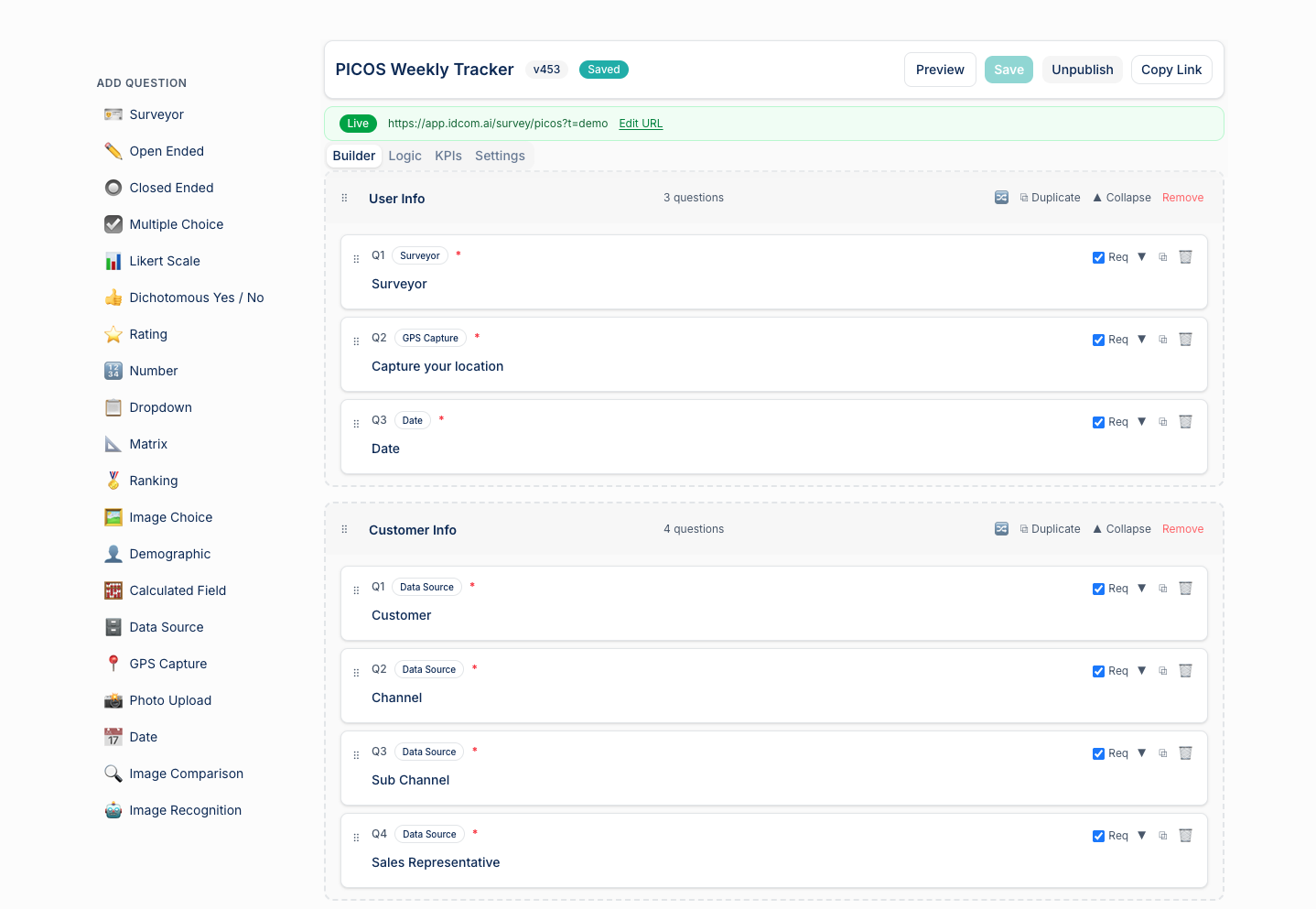
AI-powered survey builder. Describe what you want to capture, and a draft survey is generated against your own SKU and store catalog. Edit fields, attach photo prompts, deploy — no developer involved.
→ Builder
What's inside
Seven pages, one capture pipeline.
From "build a survey" to "act on the result" without leaving the module. Every survey result is filterable, photo-backed, and tied to a row in your customer master.
All Surveys
Library of every survey template — pricing audits, planogram compliance, competitor scans, OOS checks, custom rubrics. Clone, edit, deploy to a rep route in three clicks.
Results
Submitted survey sessions with every answer, every attached photo, the geo-tag, the rep who captured it, and the time-stamp. Filter by date, route, store, or risk score.
Data Sources
Reference data the survey builder pulls from — your customer master, your product master, plus any CSV you upload here (e.g. a competitor SKU list). Every dropdown in a survey is type-safe against these sources.
Geo
Map of geo-tagged collection points and the routes reps walked to capture them. Audit-grade evidence that surveys actually happened on-site.
Territory
Coverage rollups by territory — who's been visited, who hasn't, and where the gaps are. Sorted by revenue exposure so you spend air time on the right misses.
Store Intel
Per-store dossier — assortment, prices, share of shelf, planogram score, recent photos. Click into any customer to see the full history of what reps have seen in that store.
Risk
Risk-scored survey signals requiring follow-up — price anomalies, OOS spikes, planogram drift, competitor presence. The call list for the sales team, refreshed in real time.
Build it with AI
Describe what you want to capture. We draft the survey.
Type a sentence — "Pricing audit on our top-50 SKUs at modern-trade stores, photo of the shelf required, OOS flag, competitor price box" — and the AI builder produces a draft survey schema against your own customer and product masters. Dropdowns are typed against your real SKUs, store list is type-safe, photo prompts are pre-wired.
Bring your own API keys (Anthropic or OpenAI — configure both, the builder picks whichever you provide). Your data never leaves your tenant; the AI only sees the schema it's drafting.
What you'll surface
The questions a field-sales lead is asked on every Monday call.
Each view is opinionated about what to do with the data — coverage gaps, price drift, planogram failures — not just collect it.
Did the price we negotiated last month actually hold in-shelf?
Which territories are under-covered this week, weighted by revenue exposure?
Where are we losing planogram compliance — and which competitor is taking the space?
Which stores have gone the longest without a visit, and how much revenue is at stake?
How many OOS incidents did we see this week — and on which SKUs?
Are our reps actually on-site when they say they are?
How field intel flows
From "describe a survey" to "act on the signal" in four steps.
01
Build
Describe the survey in plain English; the AI builder drafts the schema against your customer + product master. Edit, attach photo prompts, save.
02
Deploy
Assign the survey to a rep route. The rep gets it on their phone next time they open the app — no app-store update, no IT ticket.
03
Capture
Rep fills the survey in-store. Geo-tag, time-stamp, photos all attached automatically. Submitted answers sync the moment they regain signal.
04
Act
Results flow into Store Intel, Territory rollups, and the Risk page. Risk-scored signals hit the sales team's call list the same day, with photo proof attached.
What we need from you
One file to start. Two more sharpen the targeting.
Customer master is the only hard requirement — that's the universe of stores reps can survey. Product master makes SKU dropdowns type-safe; sales transactions let us weight coverage gaps by the revenue you'd actually miss.
Source
Description
Required
customer_master
Customer master (stores + geo)
Required
product_master
Product master (SKU catalog)
Optional
sales
Sales transactions (revenue weighting)
Optional
Custom reference CSVs (competitor SKU lists, merchandiser kits, etc.) drop in via the in-module Data Sources page — no ingestion-wizard pass required.
Ready to see it on your data?
Request a demo and we'll walk you through the modules with sample data shaped like yours.